or browse to upload · JPG, PNG, WEBP supported
Tips
Portrait Photos
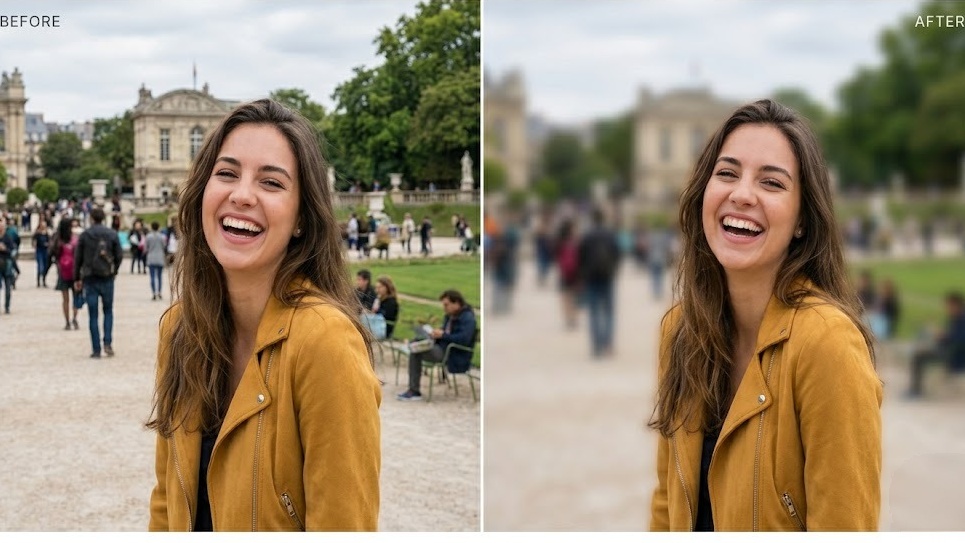
For portraits, drag the circle focus to the face. Set blur strength to 15–20 and feather to 30% for a natural bokeh-like depth of field effect.
Product Photos
Use Rectangle focus shape for products. Position it over the product, increase blur to 25+, and the background will recede naturally behind your subject.
Add Vignette
Enable the vignette option to darken the edges of the photo. This draws the eye to the center and adds a cinematic, professional look to your images.
Free Online Background Blur Tool — No Signup Required
iPixLab.com's background blur tool lets you add a beautiful depth-of-field effect to any photo directly in your browser. No software to install, no account to create, and no photos ever uploaded to a server. Everything runs locally using the Canvas API.
What Can You Use Background Blur For?
- Portrait photography enhancement
- Product photos for e-commerce
- Profile pictures for social media
- LinkedIn and professional headshots
- Travel and landscape photos
- Creative artistic photography
How the Blur Works
The tool applies a CSS/Canvas blur filter to the entire image, then composites a sharp version of your subject using a circular or rectangular focus mask with a soft feathered edge. The result mimics the natural depth-of-field bokeh effect produced by a camera with a wide aperture lens.
100% Private — Photos Never Leave Your Device
All processing happens locally in your browser using the Canvas API. Your photos are never sent to any server — no privacy risk, no data storage, no retention. Works on any device including iPhone, Android, Windows, and Mac.