or browse to upload · Multiple files supported · PDF only
Your merged PDF is ready to download.
Tips
Drag to Reorder
Drag the file cards up or down to change the order. The final PDF will follow the order you set from top to bottom.
100% Private
Your PDF files are never uploaded anywhere. Everything runs locally in your browser — your documents stay on your device.
Preserve Quality
Merging preserves the original quality, fonts, images, and formatting of all your PDF files. No quality loss at all.
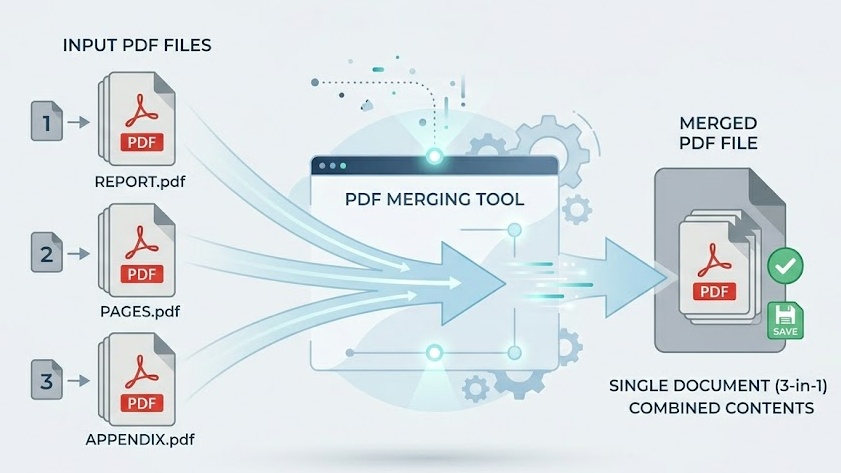
Free Online PDF Merger — No Signup Required
iPixLab.com's PDF merger lets you combine multiple PDF files into one document directly in your browser. No software to install, no account to create, and no files ever uploaded to a server. Everything is processed locally using the pdf-lib JavaScript library.
When Do You Need to Merge PDFs?
Merging PDF files is one of the most common document tasks — combining scanned pages, joining reports, assembling contracts, or compiling study notes into a single file that's easy to share.
- Combine scanned documents
- Join multiple reports
- Assemble contracts
- Merge invoices
- Combine study notes
- Create portfolios
How to Merge PDF Files Online
Upload your PDF files by dragging them into the drop area or clicking to browse. Drag the file cards to reorder them if needed, then click Merge PDF. Your combined file will download instantly — the whole process takes under a minute.
100% Private — Files Never Leave Your Device
Unlike most online PDF tools that upload your files to cloud servers, iPixLab processes everything locally in your browser. Your documents are never sent anywhere — no privacy risk, no data storage, and no retention. Works on any device including iPhone, Android, Windows, and Mac.