or browse to upload · JPG, PNG, WEBP supported
Tips
Instagram 3×3 Grid
Use the 3×3 preset and upload a square image. Post the 9 pieces in reverse order (piece 9 first) to create a seamless grid on your profile.
Best Image Size
For Instagram, use a 1:1 square image at 3000×3000px so each tile is a clean 1000×1000px — perfect quality with no cropping.
Numbered Order
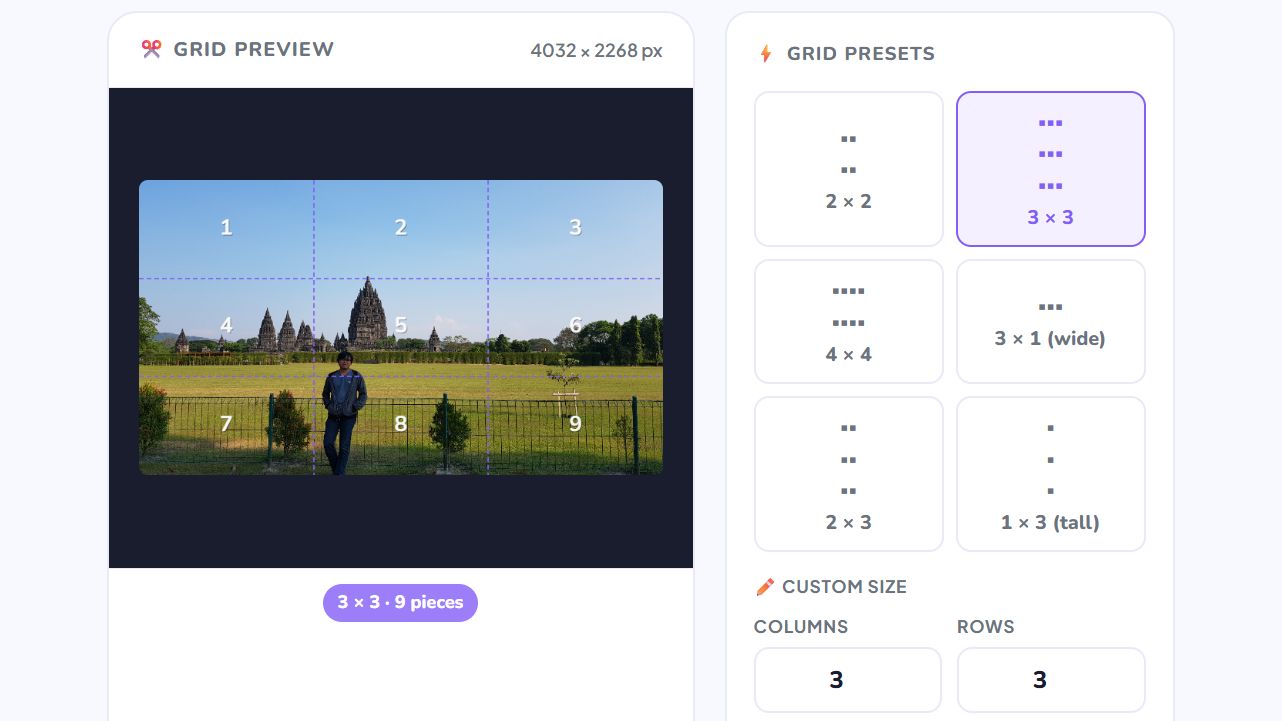
Each piece is numbered left-to-right, top-to-bottom. Piece 1 is top-left. Use the numbers to reassemble or post in the correct order.
Free Online Image Splitter — No Signup Required
iPixLab.com's image splitter lets you cut any photo into equal grid pieces directly in your browser. No software to install, no account to create, and no files ever uploaded to a server. Everything runs locally on your device using the Canvas API.
What Can You Use Image Splitting For?
Splitting images is popular for social media content creation, artistic photo grids, and creating puzzle-style posts. The most common use case is creating Instagram carousel posts or profile grid layouts.
- Instagram 3×3 grid posts
- Social media carousels
- Jigsaw-style posts
- Photo tiles for printing
- Large image panels
- Creative collage pieces
How to Split an Image Online
Upload your image, choose a grid preset (2×2, 3×3, 4×4) or enter custom rows and columns, then click Split Image. Each piece is displayed with its number, and you can download them all as a ZIP file in one click.
100% Private — Images Never Leave Your Device
Unlike other tools that upload your files to a cloud server, iPixLab processes everything locally in your browser. Your images are never sent anywhere — no privacy risk, no storage, and no data retention. Works on any device including iPhone, Android, Windows, and Mac.