or browse to upload · JPG, PNG, WEBP supported
Tips
Ken Burns Effect
The classic cinematic effect used in documentaries. Combines slow zoom with a gentle pan for a professional, movie-like feel.
Best Size for Sharing
320px is ideal for WhatsApp and messaging apps. Use 480px for social media. Larger sizes make bigger file sizes.
Faster Generation
Lower FPS (8–12) creates smaller files that generate faster. Higher FPS (18–24) gives smoother animation but takes longer.
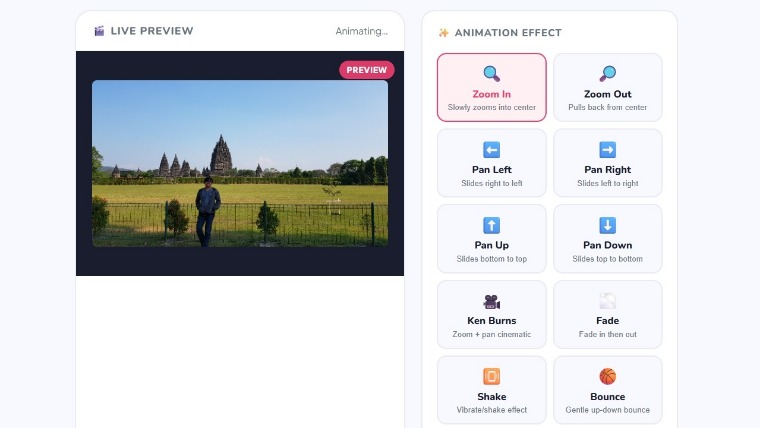
Free Image to Animated GIF Converter — No Signup Required
iPixLab.com lets you convert any photo, screenshot, or image into a smooth animated GIF directly in your browser. No software to install, no account needed, no files uploaded to any server — 100% free and completely private.
12 Animation Effects to Choose From
- Zoom In / Zoom Out
- Pan Left / Pan Right
- Pan Up / Pan Down
- Ken Burns (cinematic zoom + pan)
- Fade In & Out
- Shake / Vibrate
- Bounce effect
- Slow Rotate / Spin
- Pulse / Heartbeat
- Customizable speed and intensity
- Adjustable loop delay
- Multiple output sizes
How to Convert Image to GIF
Upload your JPG, PNG, or WEBP image, choose an animation effect such as zoom, Ken Burns, or fade, then adjust the duration, FPS, and intensity to your liking. Click Generate and your animated GIF is ready to download in seconds.
Why Use iPixLab.com to Make Animated GIFs?
Unlike other online GIF makers, iPixLab.com processes everything locally in your browser using HTML5 Canvas. Your images are never sent to any server, making it the fastest and most private way to create animated GIFs online. No watermarks, no limits, completely free.
Best Uses for Animated GIFs
Animated GIFs are perfect for social media posts, website banners, email marketing, WhatsApp stickers, blog headers, and product showcases. The Ken Burns effect is especially popular for turning product photos and travel images into eye-catching animated content.