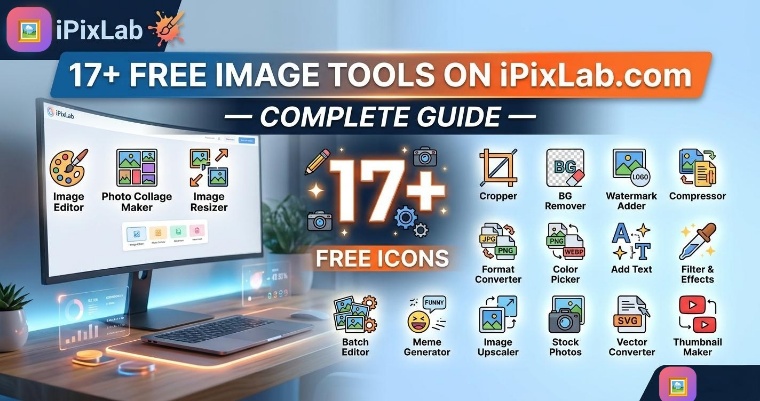
Need to edit, compress, convert, or transform an image? iPixLab.com gives you 17+ powerful image tools — completely free, with no account required and no software to install. Everything runs directly in your browser, which means your photos never leave your device.
Here is a complete overview of every tool available on iPixLab.com and what each one does.
🔥 Optimize Tools
These are the most-used tools on iPixLab.com — designed to help you reduce file size and enhance image quality with just a few clicks.
✏️ Modify Tools
Need to adjust dimensions, crop a specific area, or apply a visual effect? These tools give you full control over how your image looks.
🔀 Convert Tools
iPixLab.com supports a wide range of image and document conversions. Whether you need to change the file format or go between image and PDF, these tools have you covered.
🎨 Create Tools
These tools go beyond simple editing — they help you create something new from your images, whether it's a meme, a framed photo, or a branded asset.
Why iPixLab.com is Different
There are many image editing websites out there, but iPixLab.com stands out for a few important reasons:
- 100% browser-based: Your images are never uploaded to any server. All processing happens locally on your device.
- No signup required: Open a tool and start using it immediately. No account, no email, no password.
- No file size limits: Work with large photos without running into restrictions.
- Works on all devices: iPhone, Android, Windows, Mac and Linux — any device with a modern browser works perfectly.
- No watermarks on downloads: Your edited photos are clean and ready to use.
"iPixLab.com gives you the power of a desktop image editor — without the installation, learning curve, or price tag."
Which Tool Should You Use?
| What You Need | Tool to Use |
|---|---|
| Make a photo smaller for web | Compress Image |
| Remove a white or busy background | Remove Background (AI) |
| Enlarge a small or blurry photo | Upscale Image (AI) |
| Change image dimensions | Resize Image |
| Convert iPhone HEIC to JPG | HEIC to JPG |
| Turn a video clip into a GIF | Video to GIF |
| Add text caption to a photo | Meme Generator |
| Protect photos with your brand | Add Watermark |
All tools are completely free and available 24/7. No credit card, no subscription, no limits. Just open the tool you need and get started.