Need to send photos as a PDF? Whether you are submitting documents, sharing a photo album, or preparing a portfolio, converting images to PDF is one of the most common digital tasks. Here is the fastest way to do it for free — with no software to install.
Why Convert Images to PDF?
- Send multiple photos in a single file for easy sharing
- Submit scanned documents or ID photos in PDF format
- Preserve image quality and layout across all devices
- PDFs are universally accepted by offices, schools, and government services
- Protect content from easy editing
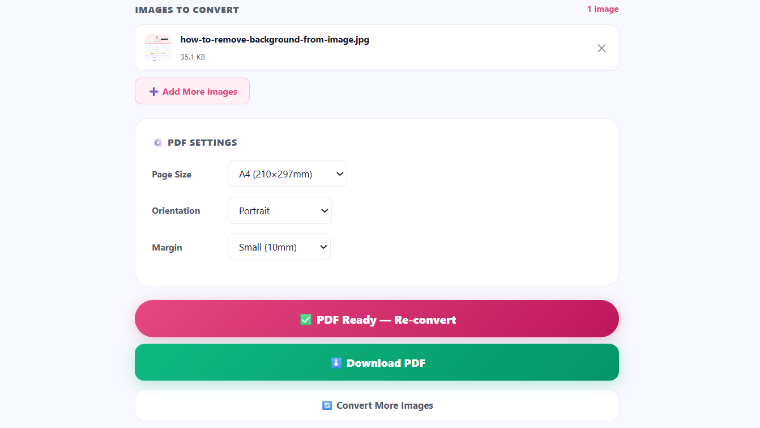
How to Convert Image to PDF on iPixLab (3 Steps)
Supported Image Formats
| Format | Supported | Notes |
|---|---|---|
| JPG / JPEG | Yes | Most common photo format |
| PNG | Yes | Supports transparency |
| WEBP | Yes | Modern compressed format |
| HEIC | Yes | iPhone photo format — auto converted |
| BMP / TIFF | No | Convert to JPG first |
How to Combine Multiple Images into One PDF
Converting multiple images into a single PDF is just as easy. On the iPixLab Image to PDF tool, you can upload multiple files at once. Drag and drop to arrange them in the correct order before converting.
Converting Image to PDF on Mobile
iPixLab works perfectly on iPhone and Android. Open your browser, visit ipixlab.com/img-to-pdf/, and tap to upload from your camera roll. The PDF downloads directly to your phone.
Other Ways to Convert Images to PDF
- Windows: Open image → Print → Microsoft Print to PDF
- Mac: Open image in Preview → File → Export as PDF
- iPhone: Open photo → Share → Print → Pinch out → Save as PDF
- Google Drive: Upload image → Open with Docs → Download as PDF
All of these methods work, but for combining multiple images or doing it from any device without downloading an app, iPixLab's online tool is the fastest option.
Quick Checklist
- ✅ Use JPG or PNG for best compatibility
- ✅ Compress large images before converting for smaller PDF files
- ✅ Drag to reorder images before combining into PDF
- ✅ Download and verify your PDF opens correctly
"Converting photos to PDF is a daily task for millions of people — and it should be as simple as one click."