or browse to upload · PDF only · Files never uploaded to server
Tips
Drag & Drop
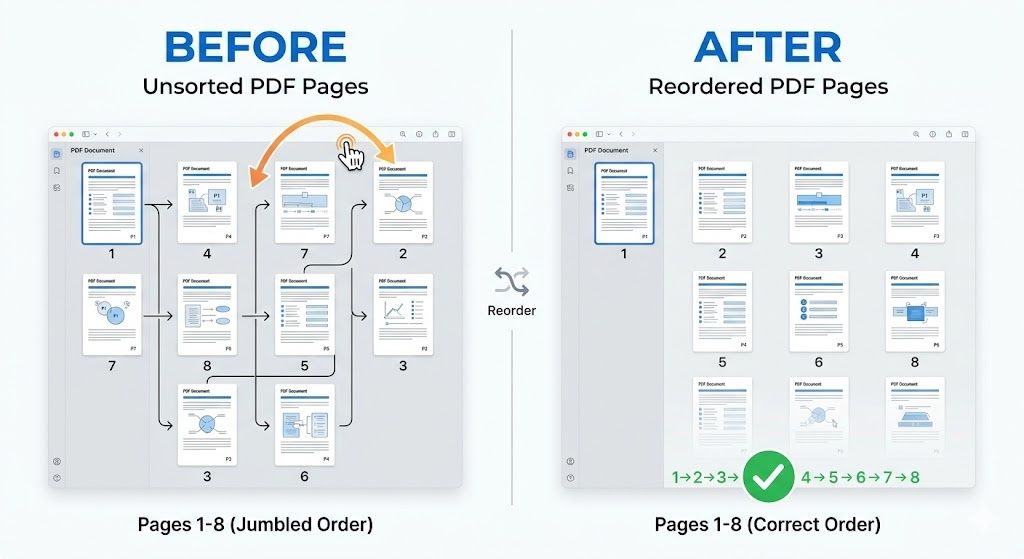
Click and hold any page thumbnail, then drag it left or right to its new position. The new page order is shown with green badges in the top-right corner of each card.
Mobile Users
On mobile, use the ← and → arrow buttons on each page card to move pages one position at a time. This is faster and more precise than touch dragging.
Reverse All Pages
Click "Reverse Order" to instantly flip the entire page sequence — the last page becomes first. Useful for fixing documents that were scanned in reverse order.
Free Online PDF Page Organizer — No Signup Required
iPixLab.com's PDF page reorder tool lets you rearrange pages in any PDF file directly in your browser. No software to install, no account to create, and no files ever uploaded to a server. All processing uses pdf-lib running locally on your device.
When Do You Need to Reorder PDF Pages?
- Fix wrong page order after merging
- Correct reverse-scanned documents
- Reorganize report sections
- Move cover page to front
- Sort chapters or appendices
- Fix double-sided scan order
How to Rearrange PDF Pages Online
Upload your PDF and all pages appear as visual thumbnails showing the actual page content. Drag any page to a new position — the green badge in the top-right corner shows the new position number. Use the ← → buttons for precise single-step moves. Click "Save New Order" when done to download your rearranged PDF instantly.
Does Reordering Affect Quality?
No. Reordering only changes the sequence of pages — no re-encoding, no compression, no quality loss. All content, fonts, images, vector graphics, and formatting are preserved exactly as in the original file.
100% Private — Files Never Leave Your Device
Your PDF files are never sent to any server. All reordering happens locally in your browser using pdf-lib. Works on iPhone, Android, Windows, Mac, and any modern browser.