or browse to upload · PDF only · Files never uploaded to server
2. Click "Place Signature on PDF"
3. Drag it to the correct position
4. Click "Download Signed PDF"
Tips
Sign on Mobile
Use the Draw tab and sign with your finger on the touch screen. Tilt your device to landscape for a wider drawing area. Your finger signature looks natural and personal.
Upload Your Real Signature
Sign on white paper, photograph it, then upload in the Upload tab. For best results, use PNG with a transparent background or crop tightly around the signature.
Sign All Pages
Place your signature on one page, then click "All Pages" to stamp the same signature at the same position on every page of the document at once.
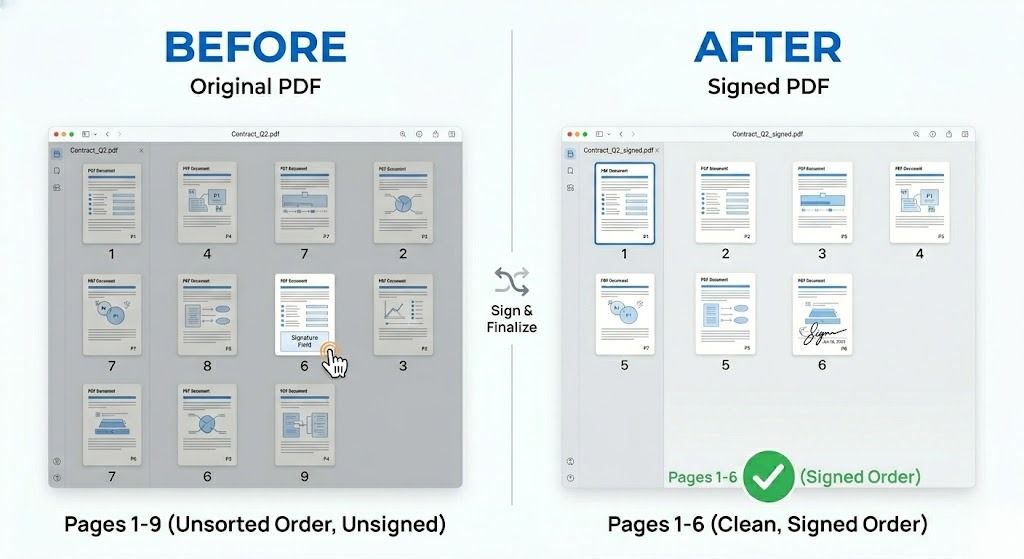
Free Online PDF Signing Tool — No Signup Required
iPixLab.com's PDF signing tool lets you add your signature to any PDF file directly in your browser. No software to install, no account to create, and no files ever uploaded to a server. Everything runs locally using Canvas API and pdf-lib — your documents stay completely private on your device.
Three Ways to Create Your Signature
- Draw with mouse or finger
- Type name in signature font
- Upload signature photo/image
- Choose black, blue or red ink
- Resize to fit the document
- Drag to any position
Is This a Legal Electronic Signature?
This tool creates a visual signature — a high-quality image of your signature placed directly on the PDF. For most informal agreements, internal documents, consent forms, and everyday use, this is perfectly sufficient. For legally binding contracts requiring an audit trail and certificate, a certified e-signature service (like DocuSign) is required.
100% Private — Files Never Leave Your Device
Your PDF files and signature are never sent to any server. All signing happens locally in your browser. No privacy risk, no data storage. Works on iPhone, Android, Windows, Mac, and any modern browser.