or browse to upload · PDF only · Files never uploaded to server
Tips
Best Opacity for Watermarks
Use 20–30% opacity for professional documents — visible enough to be seen but light enough that the content underneath is still readable.
Diagonal = Classic
Diagonal watermarks at -45° are the most common and hardest to remove or crop out. Use "Tiled" for maximum coverage across the entire page.
Color Tips
Red is the classic confidential color. Gray works well for subtle draft markings. White watermarks are great for dark-background PDF designs.
Free Online PDF Watermark Tool — No Signup Required
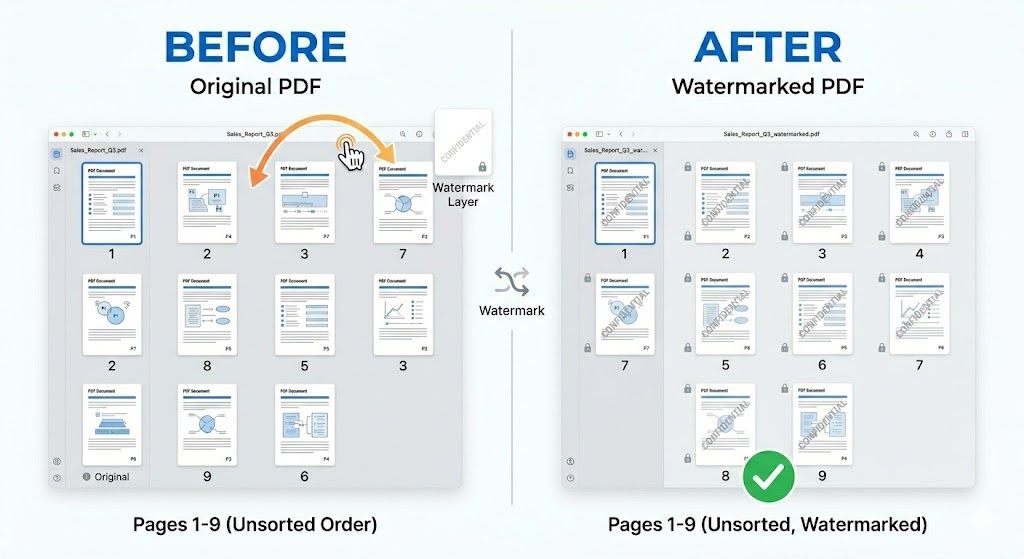
iPixLab.com's PDF watermark tool lets you stamp custom text onto every page of your PDF directly in your browser. No software to install, no account to create, and no files ever uploaded to a server. Everything runs locally using the pdf-lib JavaScript library — your documents stay completely private on your device.
Common Uses for PDF Watermarks
- Mark documents as CONFIDENTIAL
- Label working copies as DRAFT
- Add COPY or SAMPLE to proposals
- Protect documents shared online
- Add branding to PDF reports
- Mark internal or review copies
How to Add a Watermark to a PDF Online
Upload your PDF and the first page appears as a live preview. Type your watermark text or choose a preset like CONFIDENTIAL or DRAFT. Adjust the opacity, font size, color, rotation, and position — the preview updates instantly so you see exactly how the watermark will look. Click "Apply Watermark" to process all pages and download your watermarked PDF.
What Opacity Should I Use?
For professional documents, 20–30% opacity is recommended — the watermark is clearly visible but the content underneath remains readable. Use 40–60% for stricter marking where readability is less important. Use 10–15% for very subtle background branding.
100% Private — Files Never Leave Your Device
All watermarking happens locally in your browser using pdf-lib. Your PDF files are never sent to any server — no privacy risk, no data storage. Works on any device including iPhone, Android, Windows, and Mac.